
PostgreSQL Auto-Provisioning
Provision PostgreSQL databases on demand for full-stack web apps and automatically provide the connection details your deployed application needs.
Overview
ProductEcho can provision PostgreSQL infrastructure when an application needs a database, allowing your AI agent to handle backend infrastructure as part of the deployment workflow.
Instead of manually creating a database, copying credentials, and configuring environment variables, the database can be provisioned alongside the application.
How PostgreSQL provisioning works
Your agent identifies the database requirement
ProductEcho provisions PostgreSQL
Connection details are provided
Your application connects automatically
What you see in the console
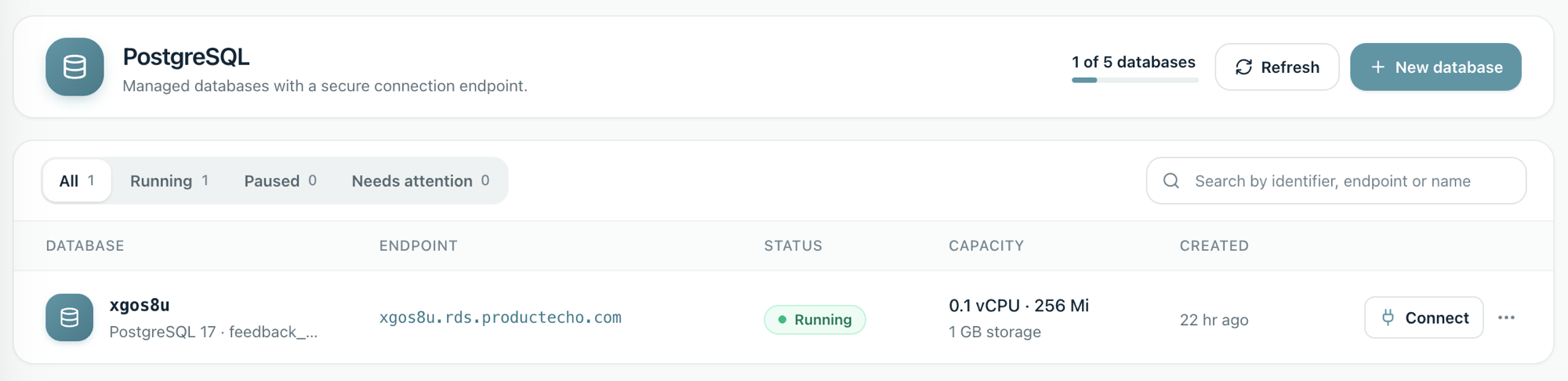
Databases your agent provisions appear under PostgreSQL in the ProductEcho console. From there you can check status, copy connection details, resize, pause, or delete a database.
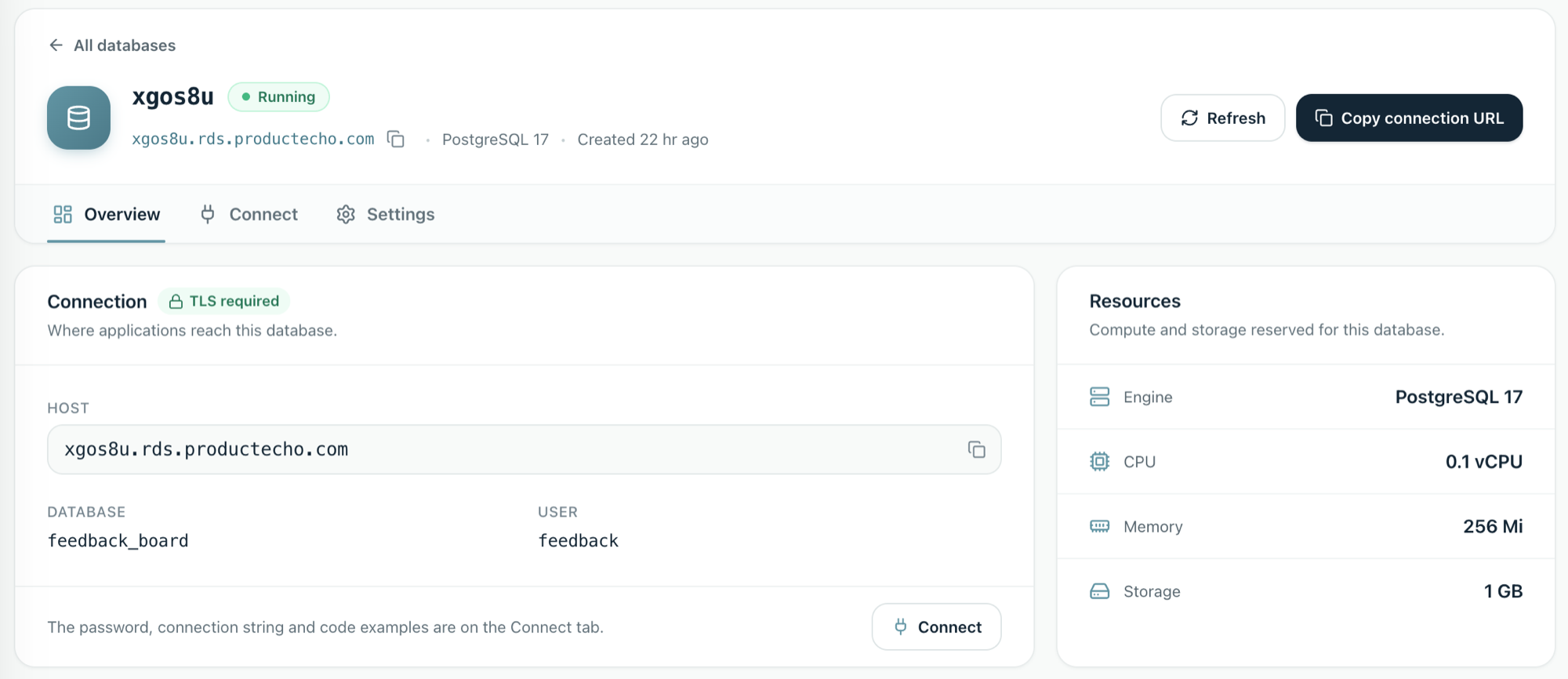
Open a database to see its host, database name and user. Connections require TLS. The password, connection string and code examples are on the Connect tab.
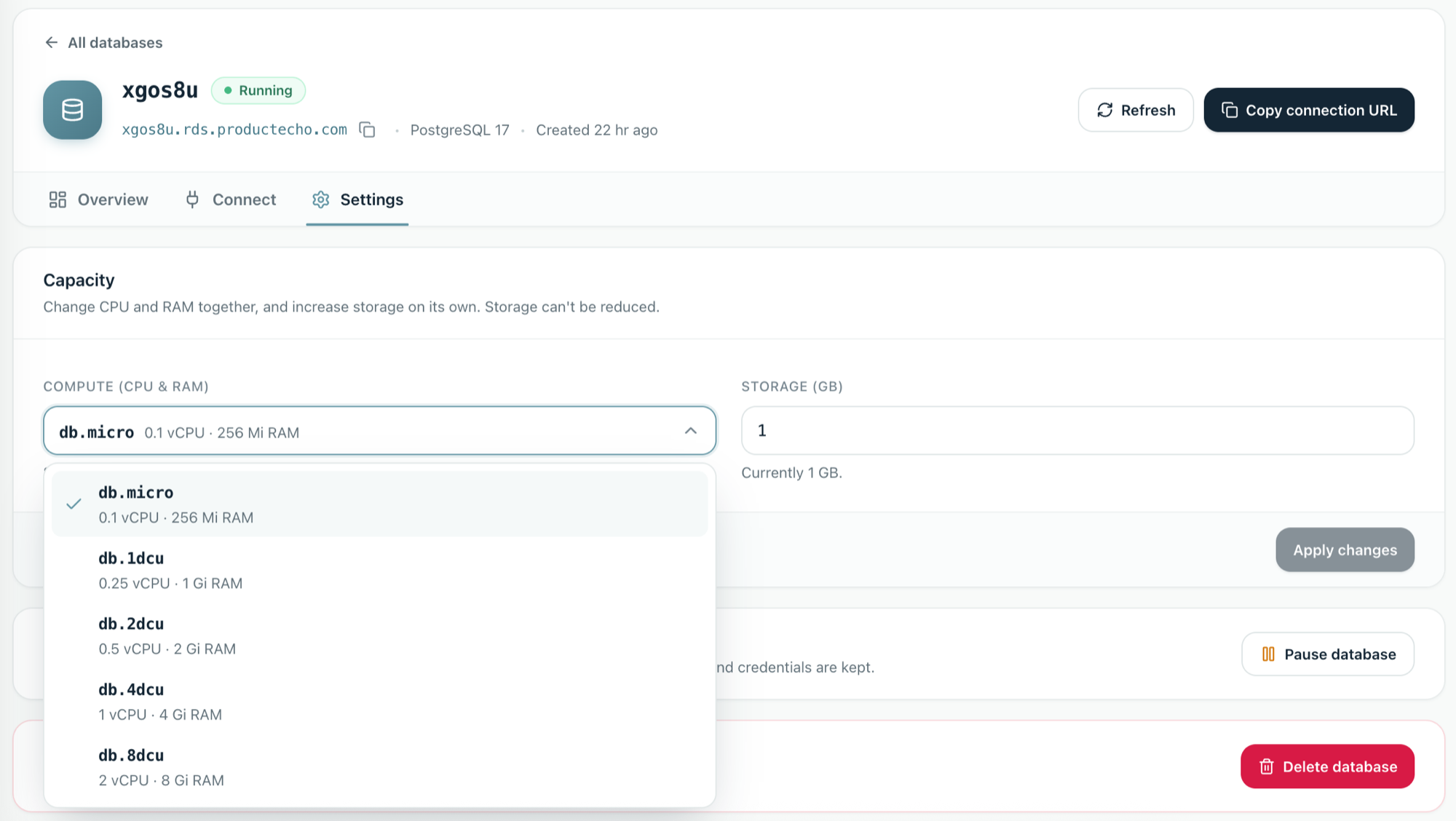
Resize a database
In Settings, choose a compute size and, separately, a larger storage size. Storage can be increased but not reduced. Raising storage does not take your application offline. Changing CPU and RAM restarts the database. The sizes available depend on your plan.
Provision from your agent
With the ProductEcho plugin installed in Claude Code, run the Postgres skill directly and say what you want. The storage size is optional; the minimum is 1 GB.
In any other MCP client, ask in plain language. Your agent calls the same ProductEcho tools.