
Give your agenta database to remember.
ProductEcho provisions and connects a production PostgreSQL database alongside your application, so you don't have to manage another platform just to ship your MVP.
This is the real console.
Screenshots from a live ProductEcho workspace. Nothing is mocked up, and the captions say only what the screen shows.
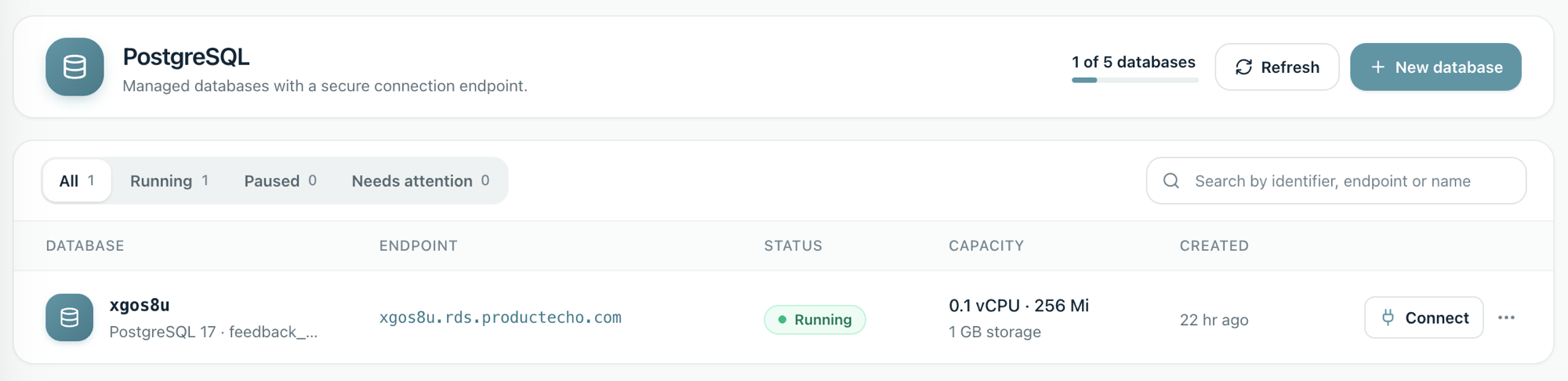
Every database, one list.
Status, endpoint, CPU, memory and storage for each database, plus how much of your plan's database allowance you have used. Create one here, or let your agent create it over MCP.
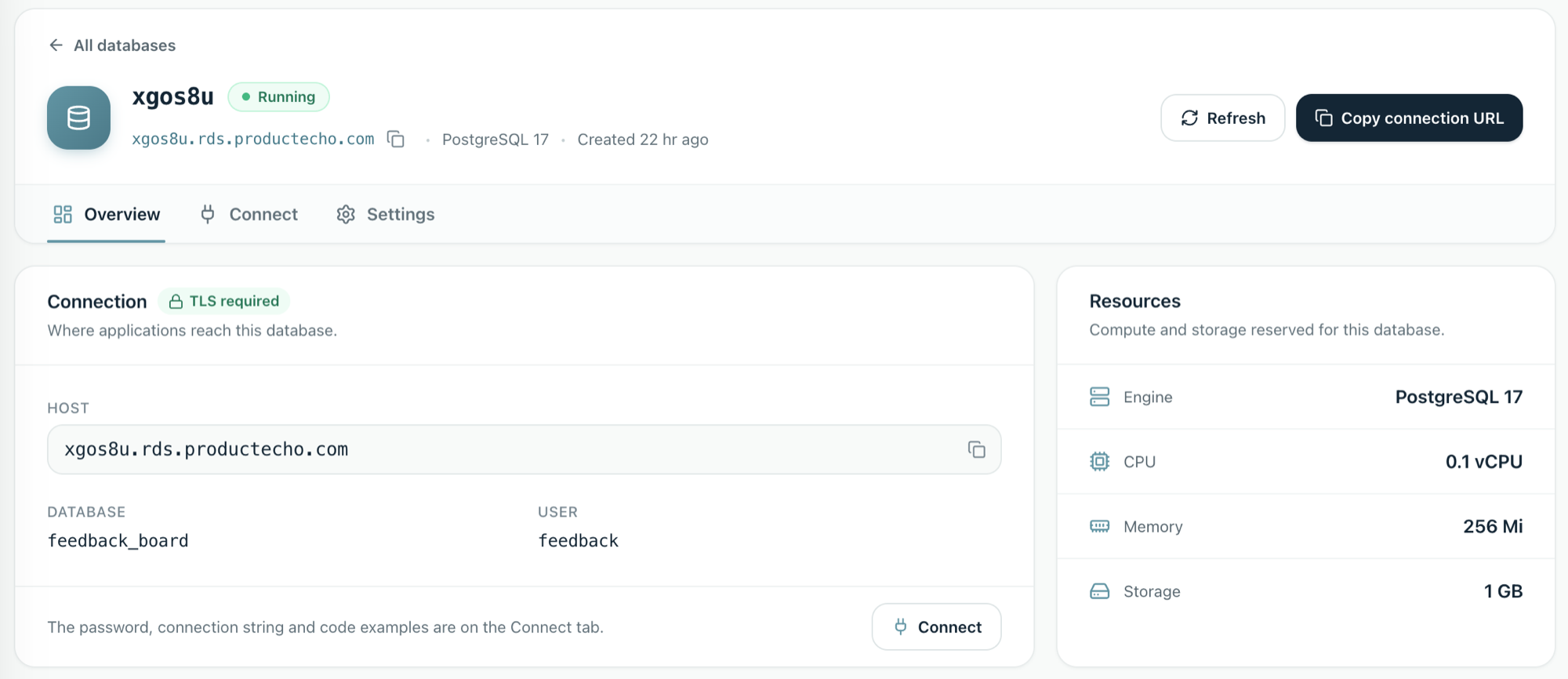
Host, database and user on the Overview.
Connections require TLS. The password, connection string and code examples are on the Connect tab, next to a one-click Copy connection URL.
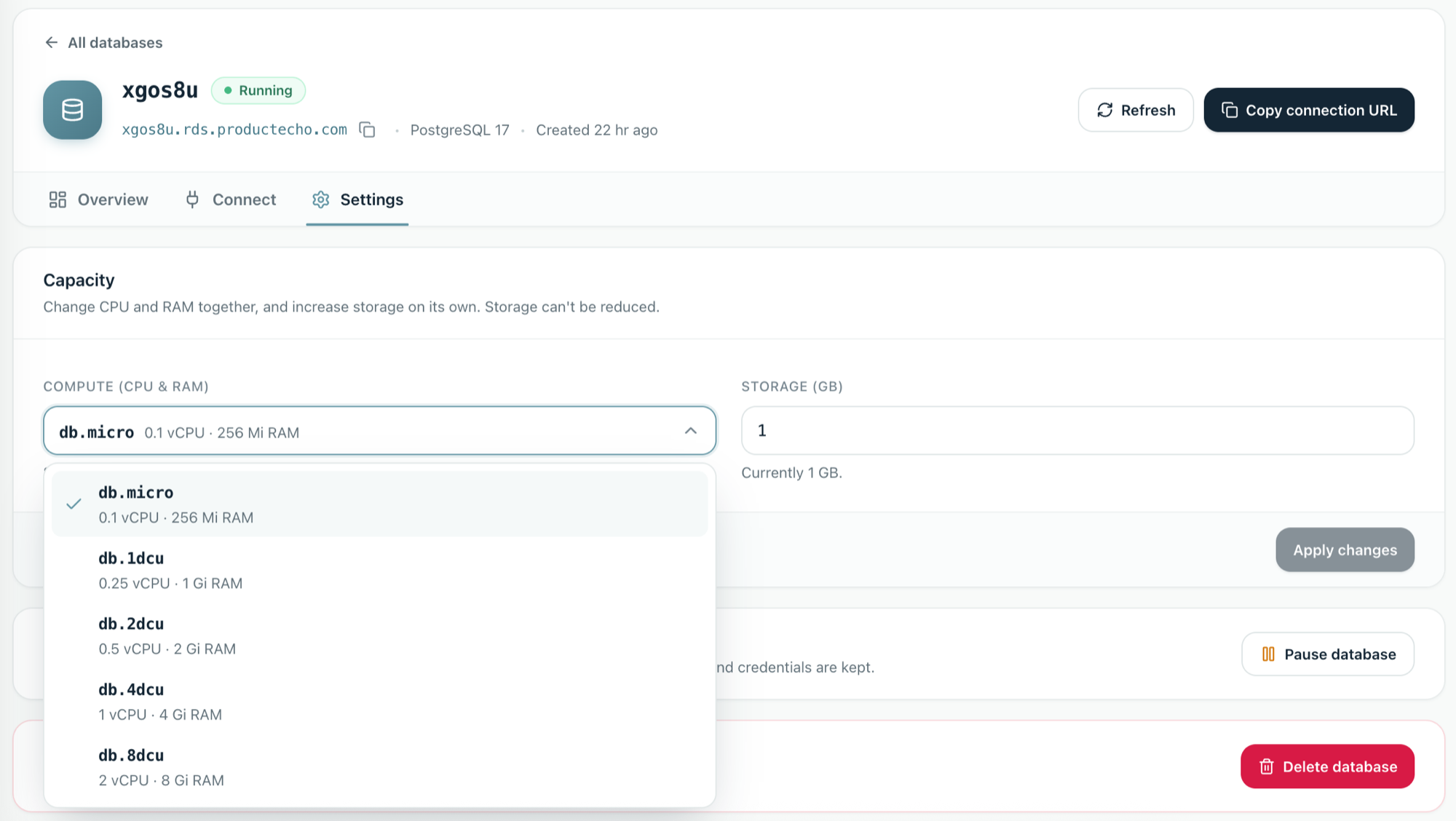
Pick a size. Grow storage on its own.
Choose a compute size from db.micro (0.1 vCPU, 256 Mi) up to db.8dcu (2 vCPU, 8 Gi) and increase storage separately. Raising storage does not take your app offline. Changing CPU and RAM restarts the database, and storage can't be reduced. The sizes you can pick depend on your plan.
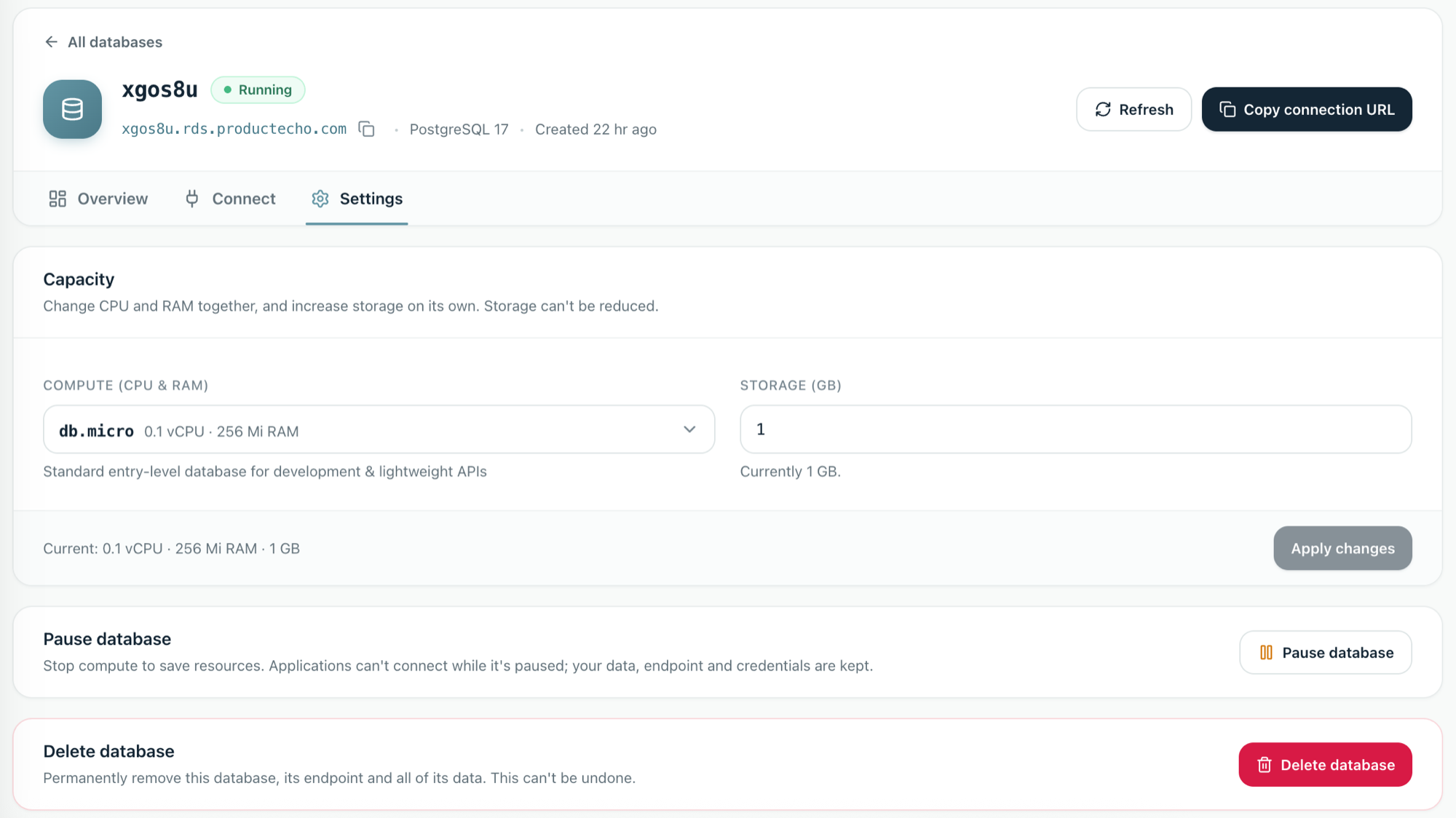
Stop compute without losing the database.
Pausing stops compute. Applications can't connect while it is paused, and your data, endpoint and credentials are kept. Delete permanently removes the database and all of its data, and can't be undone.
Give your agent
long-term memory.
AI agents can build your application, but the application still needs somewhere to remember things. Users, preferences, conversations, application state, and business data all need persistent storage.
ProductEcho gives your application a real PostgreSQL database alongside the rest of its infrastructure.
Build and deploy your MVP.
Not three infrastructure accounts.
Your application, database, and deployment infrastructure don't need to live on separate platforms. ProductEcho keeps the pieces together so your agent can build and ship without you wiring everything up yourself.
AI agent
Builds the application and determines what it needs.
Application
Runs in production with everything it needs connected.
PostgreSQL
Provisioned and connected automatically.
Real database infrastructure.
Without the database work.
Get the database capabilities your application needs without becoming a database administrator just to ship an MVP.
PostgreSQL 17 & 18
Use supported PostgreSQL versions for your application.
Automatic setup
Provisioning and connection are handled for you.
Resize as you grow
Pick a larger compute size and raise storage when your application needs it.
Storage grows online
Raising storage doesn't take your application offline. Changing CPU and RAM restarts the database.
Your agent asks.
ProductEcho handles the rest.
Your agent determines what data the application needs.
ProductEcho provisions a PostgreSQL database and connects it automatically.
Your application ships with everything it needs to run in production.
1 GB of PostgreSQL on Free. Up to 200 GB on Pro.
Build your MVP, give your application persistent data, and deploy it all from one platform.