
Deploy from Cursor to a live URL with MCP
Can Cursor deploy an app? Yes, with an MCP server. Add ProductEcho to Cursor, run one prompt and get a live HTTPS URL, with PostgreSQL if needed.
Can Cursor deploy an app?
Yes, once it has a tool that does the deploying. Cursor writes and runs code but does not host the result. Add ProductEcho to Cursor as an MCP server and one prompt is enough: the agent reads your project, creates a PostgreSQL database if the app needs one, uploads the code, deploys it, and gives you a public HTTPS URL.
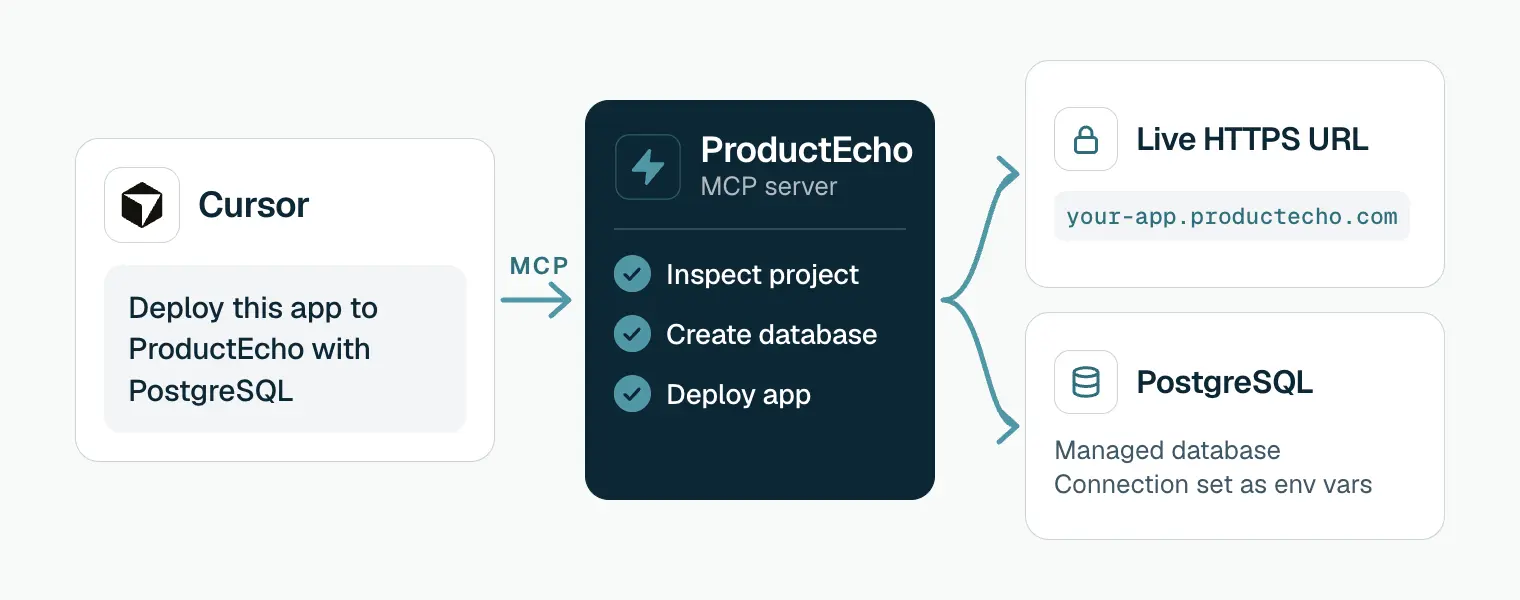
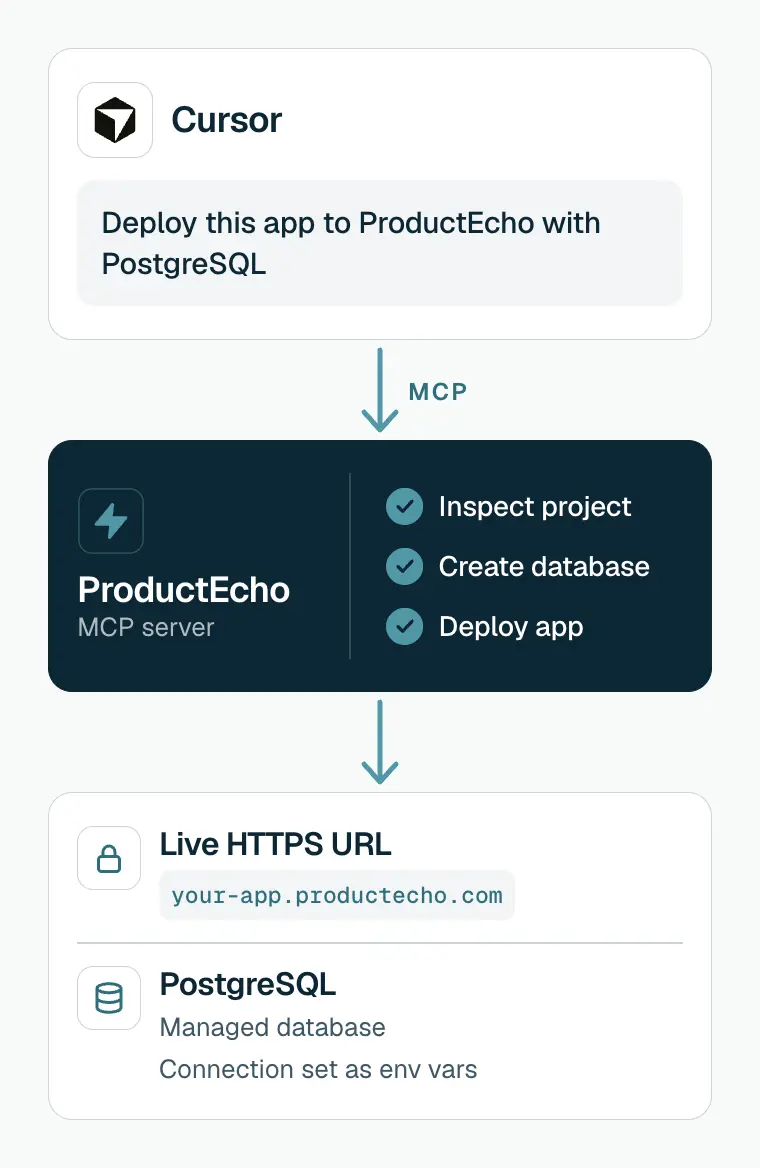
This page is about deploying apps and websites you built in Cursor, not about installing Cursor itself.
Add ProductEcho to Cursor
The quickest way is one click. On a computer with Cursor installed, select Add ProductEcho to Cursor. Cursor opens and asks you to confirm adding the MCP server.
To add it by hand instead, put the server in Cursor's MCP config. Use ~/.cursor/mcp.json to have it in every project, or .cursor/mcp.json inside one project.
Whichever way you add it, if ProductEcho does not appear in Cursor's MCP settings, restart Cursor. Cursor then opens a browser window where you sign in and approve access to your ProductEcho workspace. The consent covers workspace discovery, deployments and database management, and no API key is involved.
Setup for other MCP clients, including Codex, and the API-key route for headless use is in Connect your coding agent.
Add the deploy skills
The MCP server gives Cursor the tools. The skills give the agent ProductEcho's instructions for using them: how to inspect a project, what each runtime needs, and how to create and wire a database. Install them once:
This copies four skills into ~/.agents/skills, a folder Cursor loads. In Agent chat, type / and search for productecho-deploy to run one by name. You can also just ask in plain language, and the agent picks the skill when it fits.
ProductEcho is also listed as a plugin on Cursor Directory. The plugin bundles the server connection and the four skills, so it covers both this step and the one above.
Deploy with one prompt
Open your project in Cursor, open Agent chat and run:
Drop "with PostgreSQL" if the app has no database. To call the skill by name, start the message with /productecho-deploy. Cursor asks for approval before it runs an MCP tool by default, and you can click the arrow next to the tool name to see what it is about to send. When the deploy finishes, the agent prints the URL.
What the agent does during a deploy
Looks up your workspace
get_workspace_info to read your plan limits and the apps and databases you already have.Inspects the project
inspect_application_source to find the framework, the port and the environment variables the app expects, and to decide between a container and a static site.Creates the database
Uploads a clean copy of the code
node_modules, .git, build output, .env files and keys.Deploys and waits for Ready
deploy_application, then checks get_application_status until the app is Ready and returns its public HTTPS address.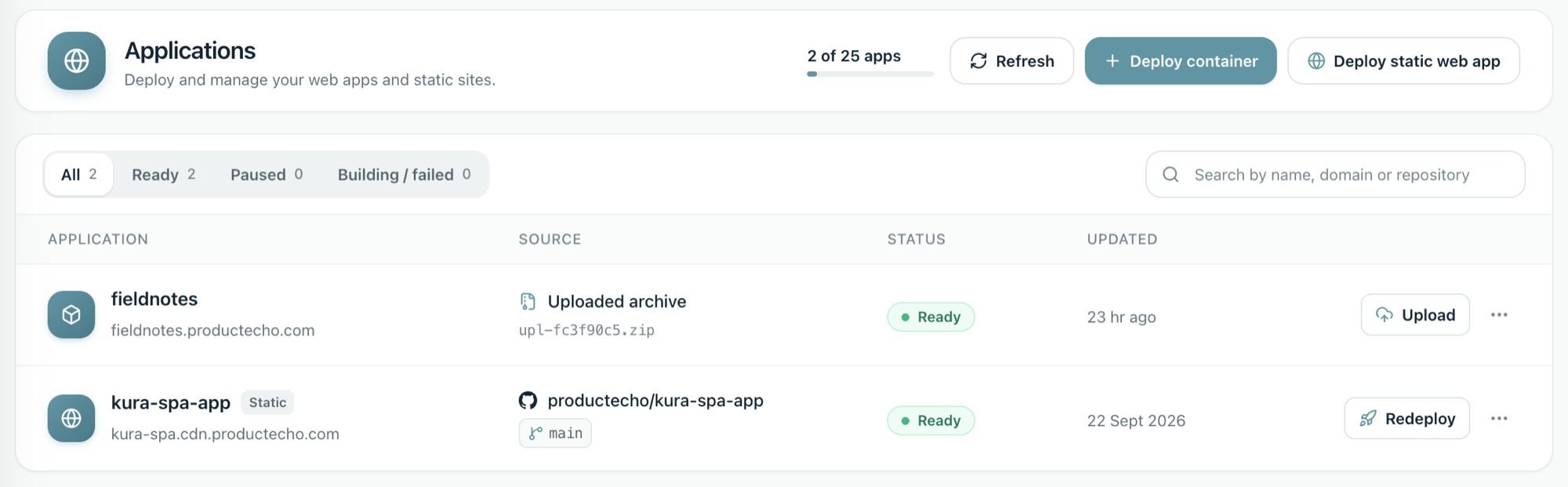
Each step and status, from upload to live URL, is explained in How a deploy works.
What you can deploy from Cursor
Server apps run as containers and single-page apps that build to static files are served from a CDN. The project inspection decides which one fits, and projects with a Dockerfile always run as containers. What each runtime needs:
- Node.js, Next.js and Express: runtime packages belong in
dependencies, and the app must listen onPORTand bind to0.0.0.0. - Python (FastAPI, Django, Flask): a production server in
requirements.txtand a start command, from a Procfile or one you confirm. - Go:
go.modandgo.sumat the project root, and the app readsPORT. - Java (Spring Boot, Quarkus, Micronaut): the
./mvnwor./gradlewwrapper in the project.
In a monorepo, the agent asks which project to deploy; see monorepo for AI-assisted coding. For a website that builds to static files, the steps after setup are the same as in Deploy a website. For an API that only your other apps call, ask for a private app, a container with no public address; see Private services.
Keep control of production
ProductEcho flags deploys, environment updates, pauses and deletes as destructive, and Cursor asks before running an MCP tool by default, so you see each one before it runs. Three habits make that review count:
- Read the prompt for
deploy_application,update_application_envand any tool whose name starts withdelete_. The sign-in grants write access, and that includes deleting apps and databases. - If you set Cursor to run tools without asking, keep deploys, environment updates and deletes out of that list. Reads such as
get_workspace_info,list_applicationsandget_application_statusare the safe ones to allow. - Keep secrets out of the code. The upload skips
.envfiles, so set values as environment variables and let the agent read them back with sensitive values masked.
To go back to an earlier version, ask the agent to redeploy that version of your code.
Fix the common problems
ProductEcho does not show up in Cursor
Check that mcp.json is valid JSON, with no trailing comma, then restart Cursor. To see what Cursor reports, open the Output panel (Cmd+Shift+U on a Mac, Ctrl+Shift+U on Windows and Linux) and choose "MCP Logs" from the dropdown.
The sign-in does not finish, or the tools say unauthorized
The server answers 401 until you approve access in the browser window. Finish that step, then check "MCP Logs" if the server still shows as not connected. If it stays stuck, remove the ProductEcho entry, save, add it again and repeat the sign-in.
Cursor says the server is blocked
On a Cursor team plan, admins can restrict which MCP servers are allowed. Ask an admin to allow https://api.productecho.com/mcp.
The skills are missing
Check that ~/.agents/skills/productecho-deploy exists, run the install command again if it does not, then restart Cursor and type / in Agent chat.
The deploy finished but the URL shows an error
Ready means the container started, not that your routes work. A gateway error usually means the app listens on the wrong port: it must bind to 0.0.0.0 and read the PORT variable. Ask the agent to check the port and redeploy, or follow why a deployment returns 502.
A Python deploy was refused
Without a Procfile, a Python app needs a start command. The agent proposes one from your code and asks you to confirm it before deploying.
Questions
Does Cursor need a hosting account to deploy?+
Yes. Cursor does not host anything itself, so you need a ProductEcho account. There is a free plan and no credit card is needed to start.
Do I need an API key to use ProductEcho in Cursor?+
No. Cursor signs in over OAuth, so you approve access in the browser. A static API key is only for scripts and CI that cannot complete a browser sign-in, and the connection guide covers that case.
Can Cursor deploy a website, not just an app?+
Yes. Single-page apps that build to static files are served as a static site on a CDN, and server apps run as containers. The project inspection decides which one fits.
Is it safe to let Cursor deploy to production?+
You stay in the loop. Cursor asks before MCP tool calls by default, and ProductEcho flags deploy, environment and delete tools as destructive. Treat the sign-in as write access to your workspace, read each prompt, and keep production secrets in environment variables.
Do Railway, Render and Vercel have MCP servers too?+
Yes, all three publish MCP servers, as do Heroku and Fly.io. The side-by-side comparison with sources is on the best MCP deployment platform page.