
Private API vs public API: who should be able to call it?
A private API answers only your own apps; a public API answers anyone. Decide by who calls it, why private is not secure alone, and how to set one up.
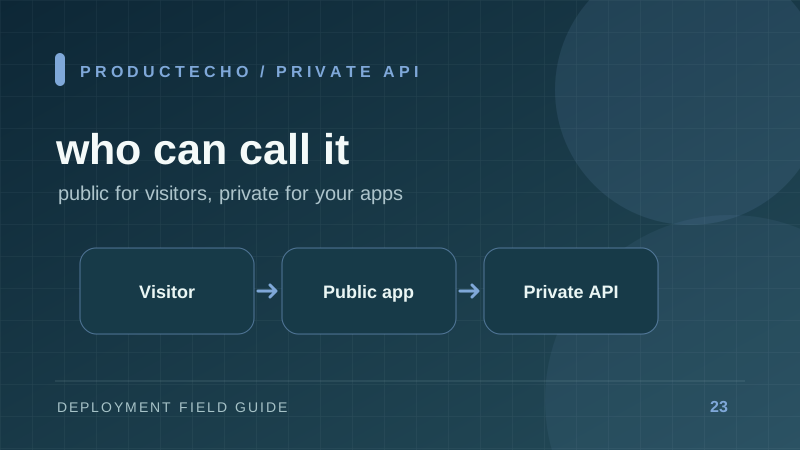
A private API answers only your own apps
The difference between a private API and a public API is who may send it requests. A public API accepts requests from anyone who has its address: browsers, customers, partners and services that send you webhooks. A private API accepts them only from your own code, such as your web app's server or a background worker. To decide which one an API should be, ask who calls it.
Most products need both: one public app that visitors use, and one or more private APIs behind it.
Decide by the caller, not by the code
| Who calls the API | Public or private | Why |
|---|---|---|
| A visitor's browser, through your site's JavaScript | Public | The code runs on the visitor's device, outside your systems. |
| A customer or partner with an API key | Public | They are outside your systems and need an address they can reach. |
| A service that sends webhooks, such as Stripe or GitHub | Public | The sender needs an address to post to. |
| Your web app's server code | Private | It runs inside your systems, so it can use an address that is closed to everyone else. |
| Your own worker, scheduler or internal tool | Private | Same reason. |
The browser row catches most people. A single-page app calls its API from the visitor's device, so that API has to be public. To keep an API private, move the call into server code: the browser asks your public app, and the public app asks the private API.
What a private API protects, and what it does not
A public address can be found, scanned and called by anyone, so every public endpoint needs authentication, rate limits and monitoring. A private API has no such address. Outsiders cannot send it requests at all, which removes direct attacks from the internet and the work of defending against them.
A private API is not a secured API. Any code running inside the same network can still call it, so a bug or an unreviewed dependency in one of your apps can send the private API anything. NIST's zero trust architecture makes the same point: no implicit trust should be granted based only on network location.
An unlisted URL is not a private API either. A secret path or a hidden hostname is still public, because anyone who learns it can call it.
So use two layers. Take away the public address, and still check who is calling for anything sensitive, for example a token that your code verifies on each request.
How to make an API private
Apply three controls, in this order:
- Remove the public route. Nothing on the internet should point at the API: no public hostname and no public load balancer path.
- Limit who can connect. Use a private network, firewall rules or network policies that admit only your other services.
- Check the caller in code for sensitive actions, as in the previous section.
The platform does the first two. Your code does the third. Give the calling app the API's internal address as configuration, such as an environment variable, instead of writing it into the source, and call it from server code. Environment variables and secrets covers where that value belongs.
Then test from both sides. From your own computer, the API's old public address should fail or return not found. From the calling app, the internal address should answer.
How this works on ProductEcho
On ProductEcho an API app is private when you deploy it as private, or switch it later. A private app has no public address. The other apps in your workspace call it at an internal address, http:// followed by your workspace code, the app name and -svc, such as http://ab12cd34-api-svc. It uses plain HTTP and works only inside ProductEcho.
- Make the API private. In the console, choose Deploy container, then Private under Access. For an app that is already live, use the Visibility card on its Settings tab.
- Save the internal address in the calling app. Copy it from the private app's Domains tab and save it as
API_URL. Do not start the name withNEXT_PUBLIC_,VITE_orREACT_: those values go into browser code, and the browser cannot reach an internal address. - Check both sides. If the API was live before, its old public address no longer serves it: a browser gets a not-found page or a certificate warning. The calling app still reaches the API.
Your connected coding agent can do steps 1 and 2 from one prompt:
Switching takes a few seconds and does not rebuild or restart the app. Every app in your workspace can call a private app, and no app outside it can. ProductEcho cannot narrow that to chosen apps, so the code check from the earlier section still decides which of your own apps may do what. Static sites cannot be private, and a private app cannot have a custom domain.
A worker that your web app triggers over HTTP fits the same pattern; background jobs and cron covers the queue and retry side. For every step and limit, see Private services.
Further reading
NIST SP 800-207, Zero Trust Architecture explains why network location alone is not trust. OWASP API Security Top 10 (2023) lists broken authentication, the risk the third control addresses.